DNS
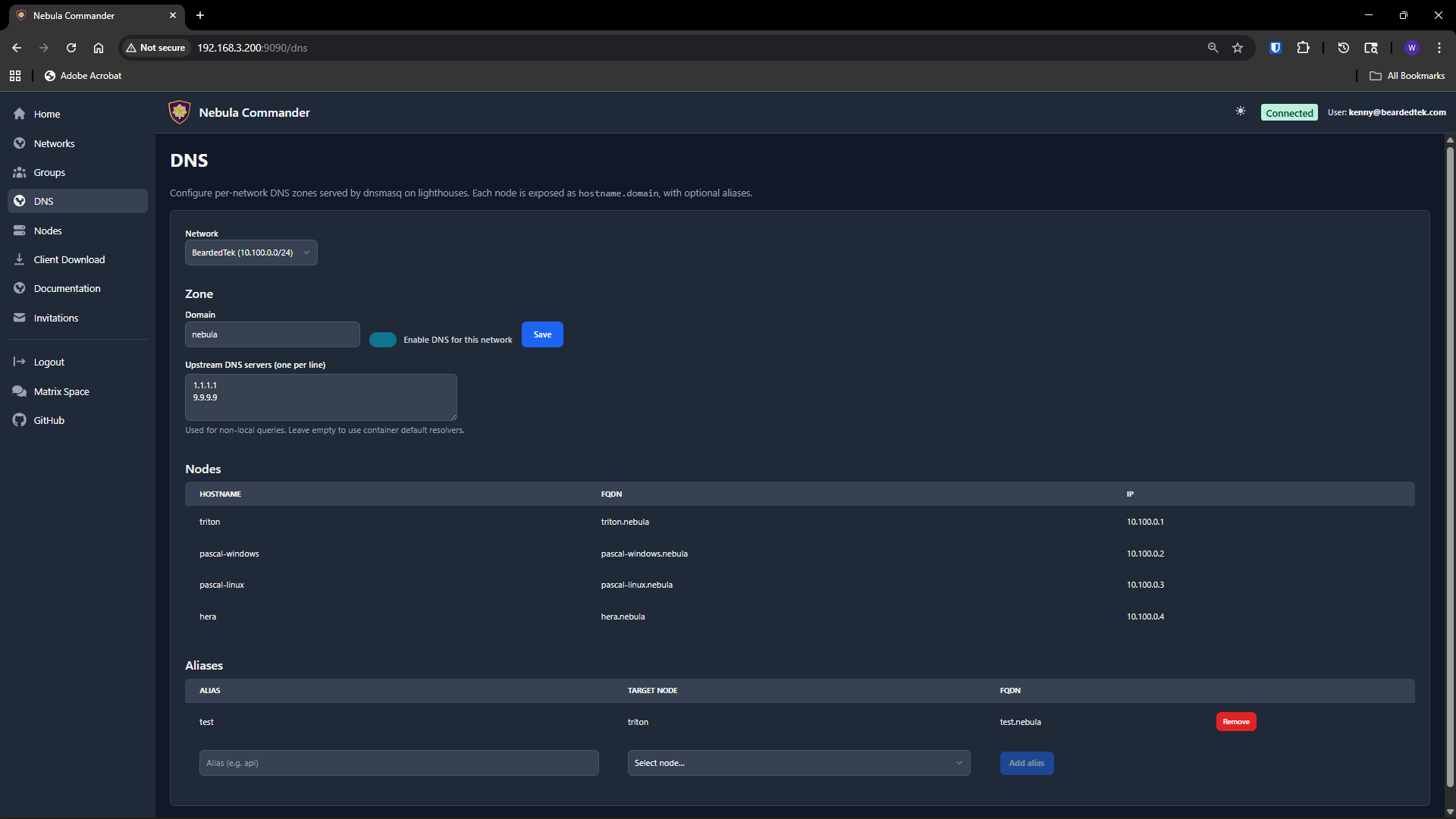
The DNS page configures split-horizon DNS per network: a domain and optional hostname aliases that resolve to nodes inside the Nebula overlay. When enabled, lighthouses (or the Docker ncclient stack) can run dnsmasq to serve this domain; enrolled devices can use ncclient with --accept-dns to resolve the Nebula domain via the overlay.
Access
Only network owners can view or change DNS for a network. Select a network from the dropdown at the top; the page shows the current DNS config and aliases for that network.
DNS config
- Domain – The DNS domain for this network (e.g.
mynet). By default it is the network name. Queries for*.<domain>(e.g.node1.mynet) are resolved by the server’s dnsmasq using the aliases and node IPs. - Enabled – Turn DNS on or off for the network. When disabled, device endpoints
/api/device/dns-client-configand/api/device/dnsmasq.confreturn 404 for devices in this network. - Upstream servers – Optional list of upstream DNS servers (one per line) used by dnsmasq for non-Nebula queries when running in the lighthouse/container client.
Save changes with the Save button. The domain is used when generating dnsmasq config for devices (e.g. the Docker ncclient container) and in the dns-client config returned to ncclient when using --accept-dns.
Aliases
Aliases map hostnames to nodes. For example, alias server1 pointing to node prod-1 lets users reach that node as server1.<domain> over the overlay.
- Add alias – Enter a hostname label (e.g.
gateway,db) and choose the node it should resolve to. The alias must be unique within the network. Click add to create it. - Delete – Use the delete action next to an alias to remove it.
Aliases are used in the dnsmasq zone served to devices; only nodes that are lighthouses in the network can serve DNS to other devices (e.g. the Docker client runs dnsmasq in the same container as Nebula).
Device and API
- Enrolled devices fetch dns-client config from
GET /api/device/dns-client-config(domain + DNS server IPs) and, when running in a container or lighthouse, dnsmasq config fromGET /api/device/dnsmasq.conf. See API: Device and API: Networks DNS.